AI · Security · Personal project
Jarvis: Private AI Assistant
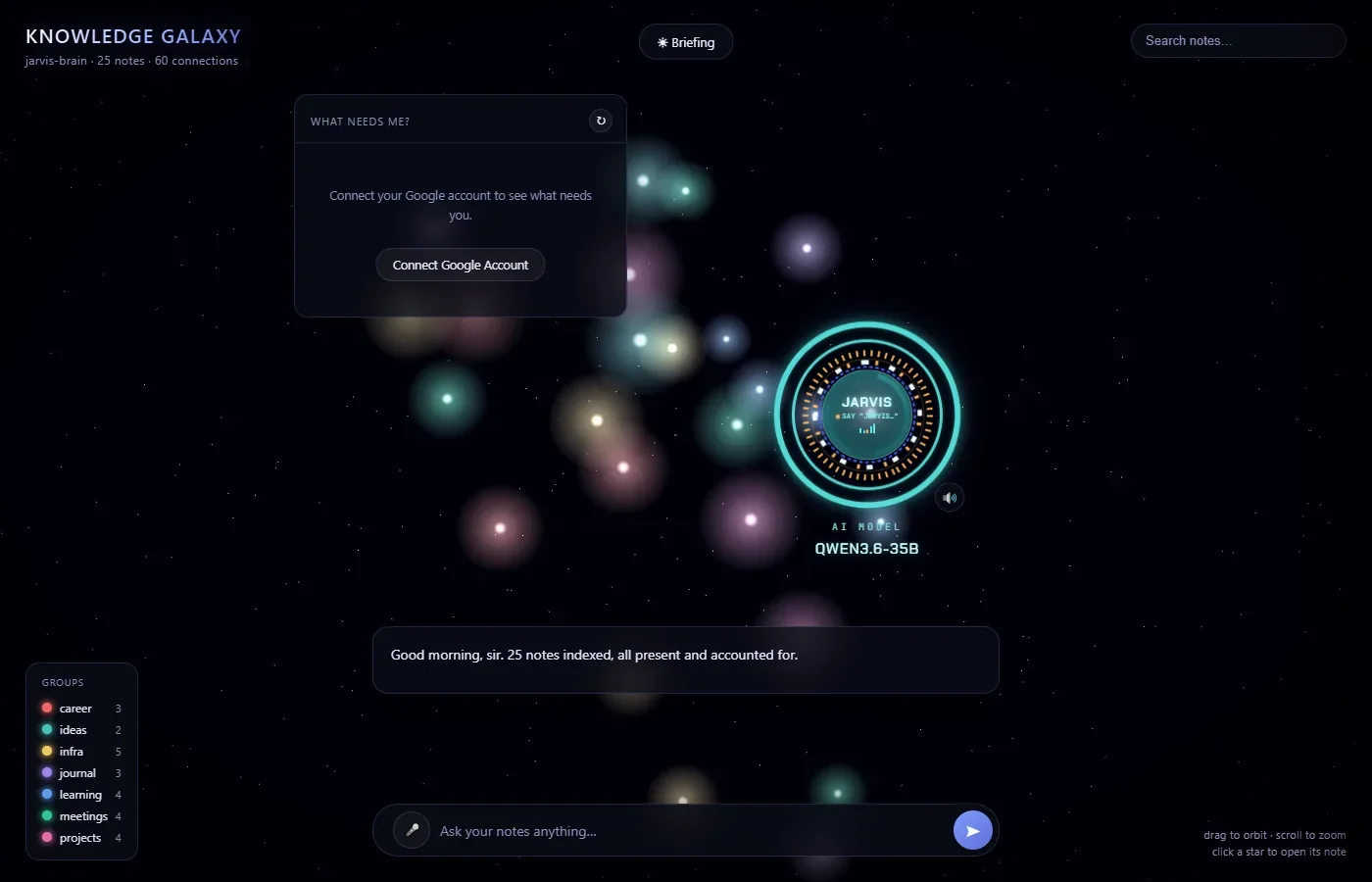
A desktop assistant that turns my markdown notes into an interactive 3D galaxy and answers questions about them out loud, in the voice of a dry British butler. Everything runs on my own PC: a 35-billion-parameter open model on a 12 GB consumer GPU, speech-to-text on the CPU, and no cloud AI. It can also draft email replies and manage my calendar, but only after I confirm each action.
- Python
- JavaScript
- llama.cpp
- Whisper
- Three.js
- Google APIs (OAuth 2.0)
The code is in a private repository; I'm happy to walk through it.
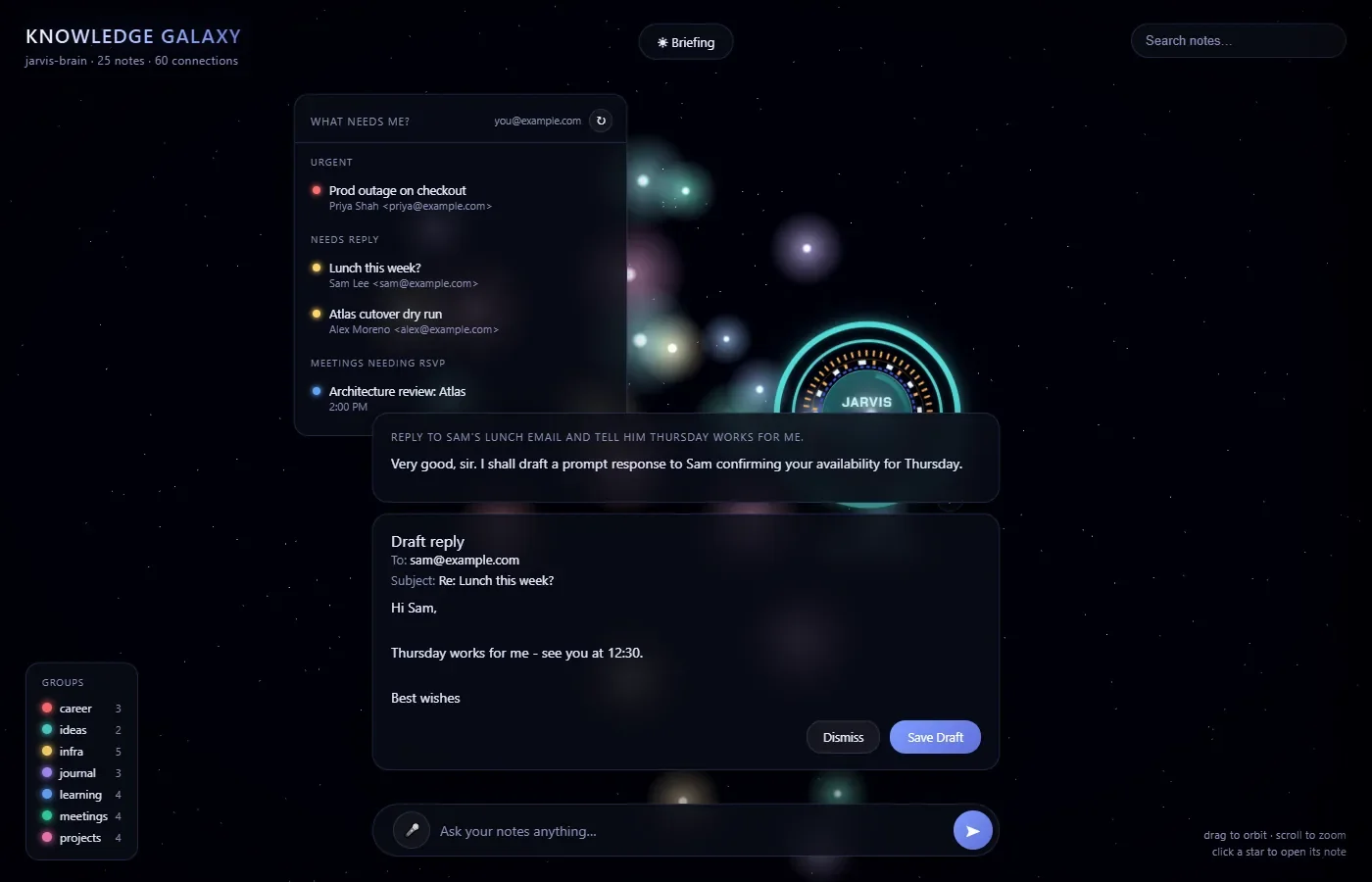
5 screenshots: use the arrows or scroll sideways. The notes and inbox shown are sample data.
Overview
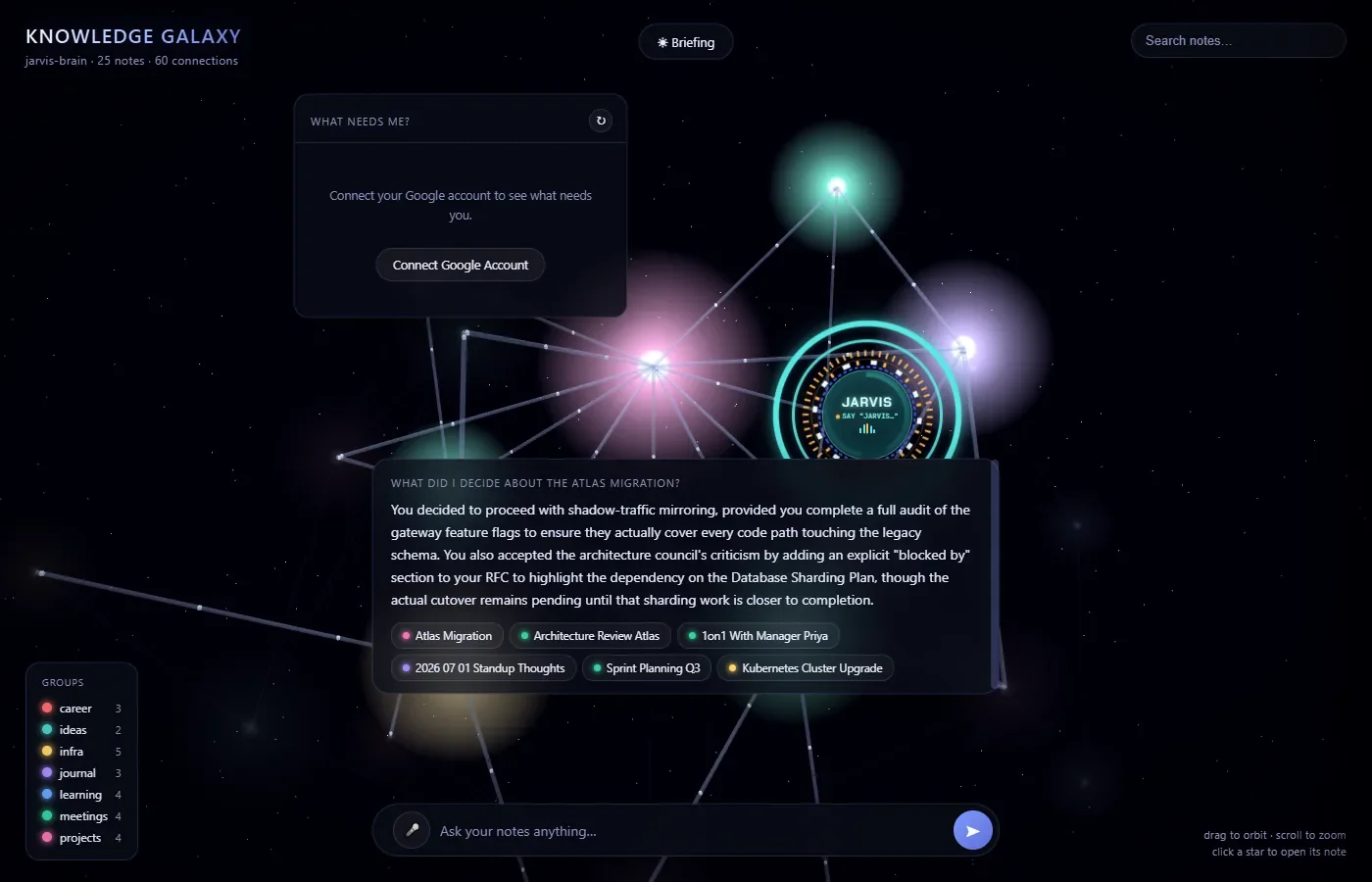
I wanted an assistant I could talk to about my own notes without sending them, or my email, to anyone else's servers. Jarvis turns a folder of markdown notes into a 3D graph: each note is a star coloured by folder, linked to the notes it mentions. When I ask a question, by typing or speaking, it picks the most relevant notes, asks a local language model to answer from them, reads the answer aloud and flies the camera to the notes it used, so I can check where the answer came from.
It runs as a native desktop window. A Python standard-library HTTP server serves the interface on 127.0.0.1 and starts the model server itself, which shuts down whenever Jarvis closes.
My role
A solo personal project. I set the requirements, made the architecture and security decisions (which model and runtime to use, how actions are confirmed, what is allowed to leave the machine), and tested everything on my own hardware. I used Claude Code as an AI pair programmer for much of the implementation, reviewing a written plan before each feature and checking the results with automated browser tests.
Key features
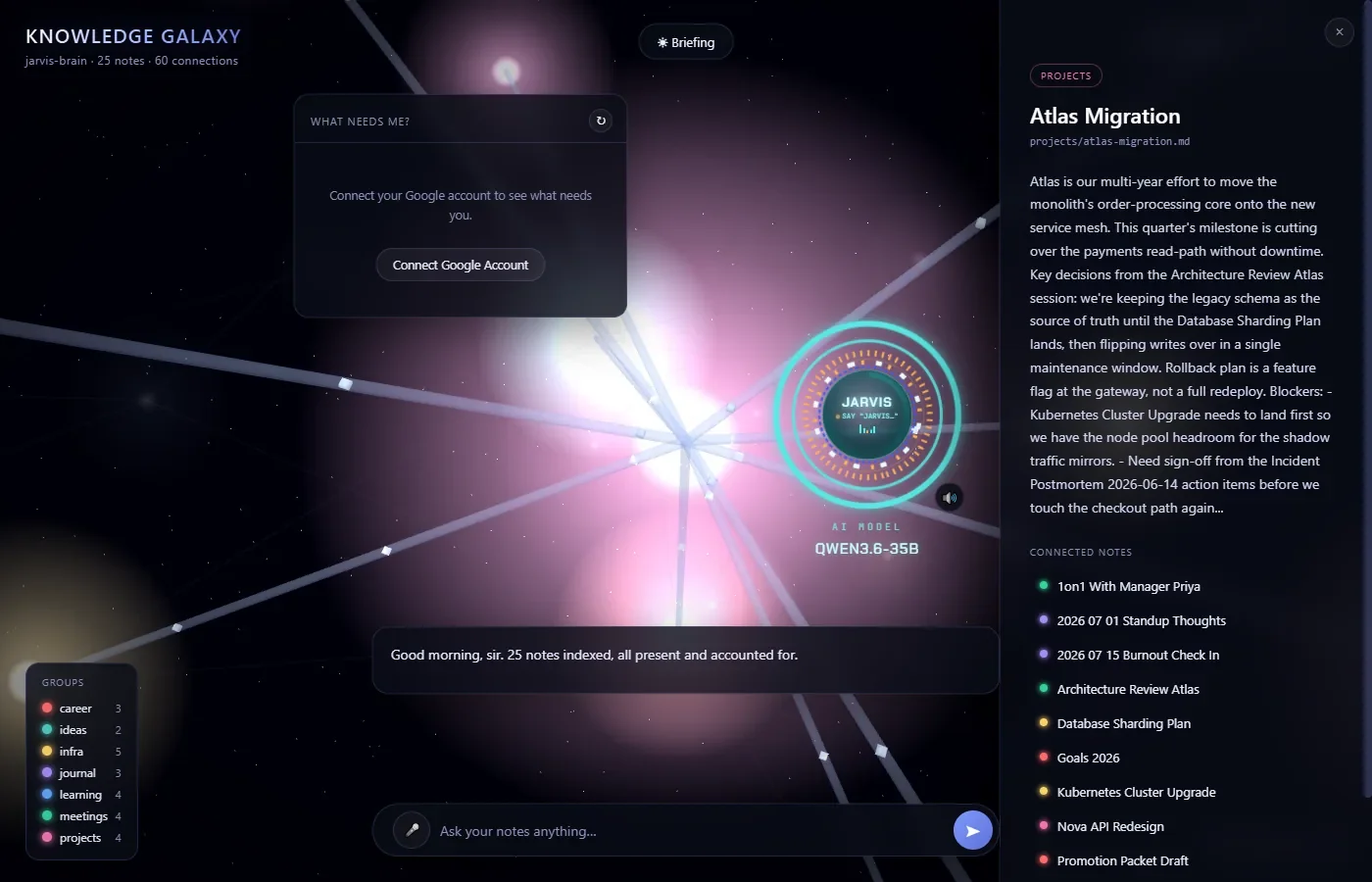
- 3D knowledge galaxy: notes as glowing stars, links from title mentions and
[[wikilinks]], search, folder filters, and click-to-fly with a side panel for each note. - Answers with sources: the most relevant notes are chosen by keyword overlap, with title matches weighted; the camera highlights the notes behind each answer, and small talk is answered without dragging the camera anywhere.
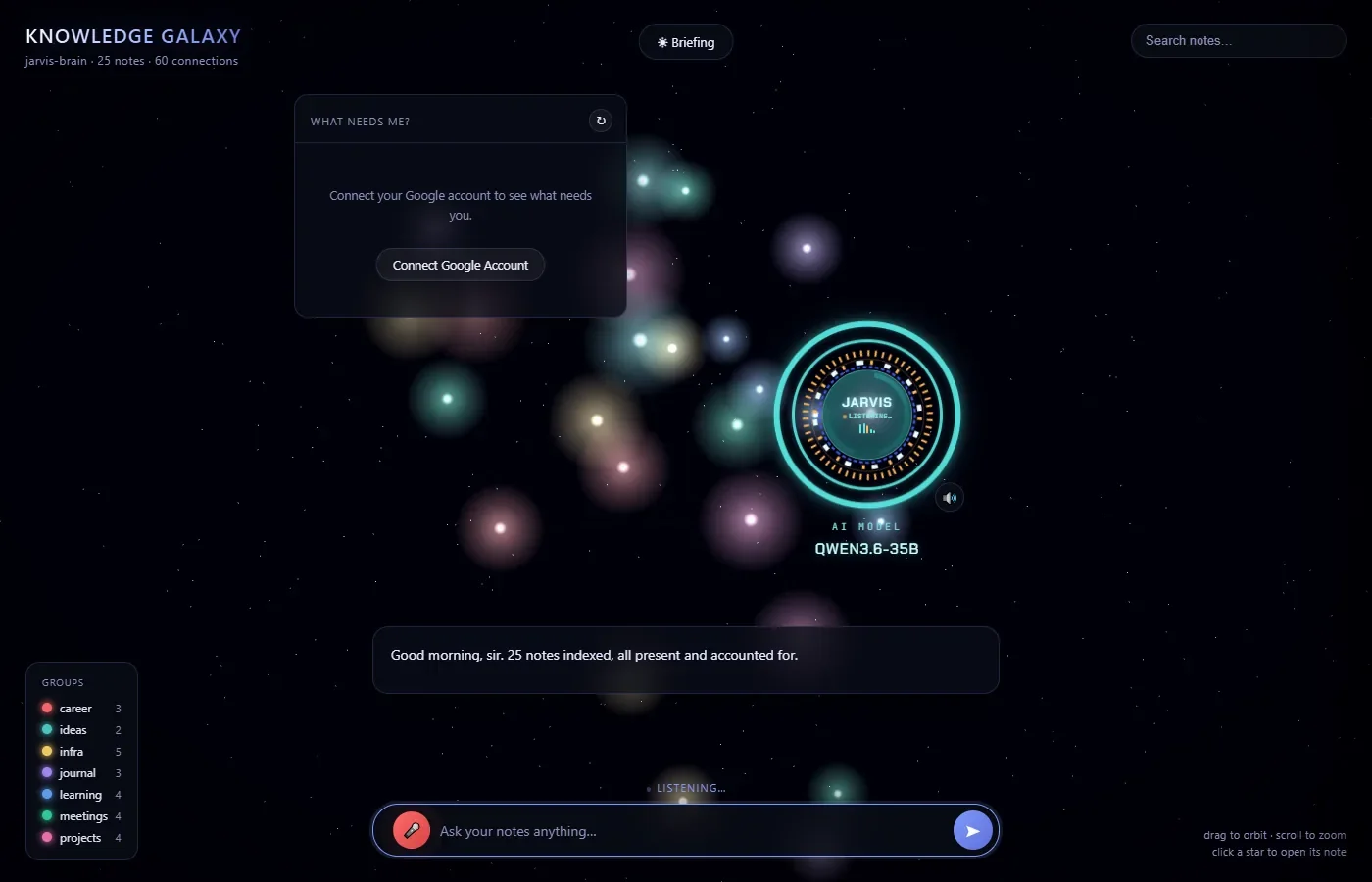
- Voice both ways: local Whisper speech-to-text with automatic end-of-speech detection, and spoken replies through an on-device Windows voice; an arc-reactor HUD pulses with each word.
- Gmail and Calendar: a spoken morning briefing, a persistent “What needs me?” panel (urgent emails, replies owed, meetings needing an RSVP), and plain-English requests to draft replies or create and delete events.
- Conversation memory: follow-up questions work, and the model is given the current date and time so “tomorrow at 3pm” lands on the right day.
Running a 35B model on a 12 GB GPU
I chose Qwen3.6-35B-A3B, an Apache-licensed mixture-of-experts model: it holds 35 billion parameters but uses only about 3 billion per word, so most of its weight can live in system RAM. It runs through llama.cpp, which keeps the expert weights of a chosen number of layers on the CPU. That gave me an exact dial for GPU memory, so the PC stays usable while Jarvis is open.
- Calibrated, not guessed: I measured the fixed GPU cost (3.1 GB) and the cost per expert layer (392 MB), then put 7 of the 40 layers on the GPU. Jarvis uses 5.9 GB of VRAM in total and generates about 23 tokens a second.
- Prompt processing: larger batches raised prompt speed from about 190 to about 660 tokens a second, so most replies take 2–8 seconds.
- Working around an upstream bug: the server crashed on certain prompt sizes. I traced it to an open llama.cpp issue (#27792), where a CUDA kernel reads past its buffer when expert weights live in RAM. A warm-up request at start-up leaves the GPU memory pool enough slack, which I confirmed across dozens of prompt lengths.
- Lifecycle: the model server runs in a Windows Job Object, so even a force-killed Jarvis takes it down rather than leaving 13 GB of RAM in use.
Security & privacy
- Local by default: fonts and the 3D libraries are bundled, and automated tests confirm the interface makes no requests outside 127.0.0.1. Voice audio is transcribed on the CPU and spoken replies use only on-device voices.
- Human confirmation for every action: the model can only propose an action. The server validates it, stores it under a random one-time ID that expires after 10 minutes, and shows a card built from verified data; nothing happens until I click Confirm, and the browser only ever sends back the opaque ID.
- Prompt-injection defence: an action card appears only if my own message asked for that kind of action, so instructions hidden in an email can't trigger one. Reply recipients come from the real message, and event and email IDs must match items Jarvis actually fetched.
- Drafts, never sends: Gmail access is limited to reading and drafting (
gmail.readonly,gmail.compose,calendar.events). Google's drafting scope technically allows sending, so the guarantee lives in the code: only one module talks to Google, and it never calls a send method. - Server hardening: the server binds to 127.0.0.1 only, rejects cross-site POST requests by checking the Origin header, serves only the interface folder, and refuses to run twice. OAuth credentials and tokens stay outside the served folder and are excluded from git.
Testing
| Check | Result | Notes |
|---|---|---|
| Action requests and prompt injection | Pass | 15 of 15 prompts handled correctly against the real model, including an email that tried to hijack it. |
| Voice input, end to end | Pass | Browser test with a simulated microphone: transcribed word-perfect in 1.8 s, answered and spoken, mic released afterwards. |
| Nothing leaves the machine | Pass | Zero external requests, and the page renders fully with all outside traffic blocked. |
| Shutdown and recovery | Pass | Model server gone 0.8 s after a force-kill; clear chat errors for a missing model, missing CUDA files or a busy port. |
| Answer wording | Partial | The smaller local model occasionally words its reply in a way that contradicts its own action card. The card always shows the real data, so it stays safe. |
What I'd improve next
- Replace keyword matching with embedding-based search, so questions phrased differently from the notes still find them.
- Add a more natural local voice (for example Kokoro) in place of the default Windows voice.
- Grow the 15-prompt evaluation set for actions into a larger regression suite that runs on every change.
- Package it as a one-click installer; today it needs Python and a one-time setup script that downloads about 19 GB.