Android · Kotlin · University assessment
Atmos Weather App
An Android weather app I built in Kotlin for a second-year Mobile Development assessment. It finds your location, pulls live conditions from the OpenWeatherMap API, suggests something to do based on the weather and asks you to rate how accurate the prediction was.
- Kotlin
- Android
- Retrofit
- OpenWeatherMap API
- Lottie
- AndroidX Test
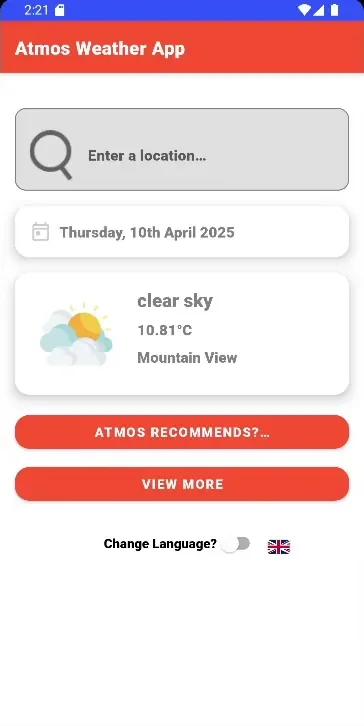
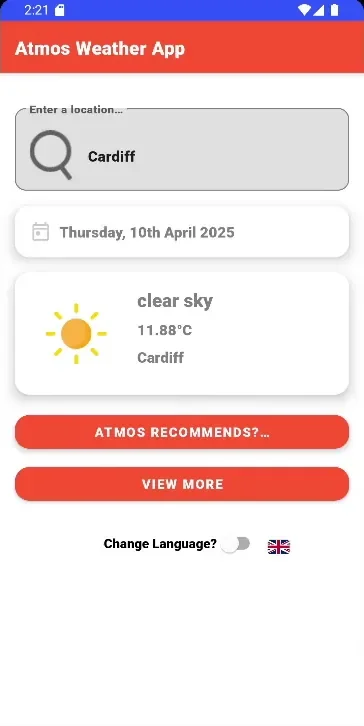
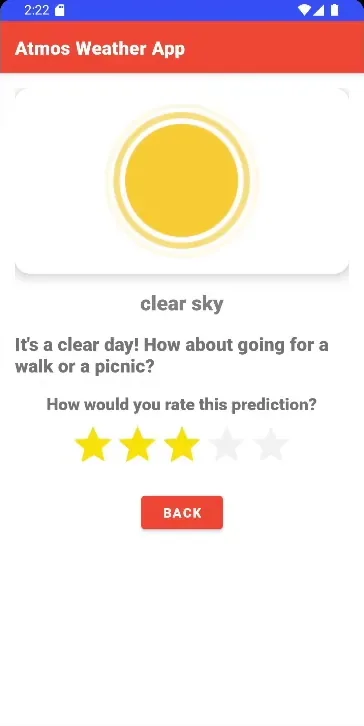
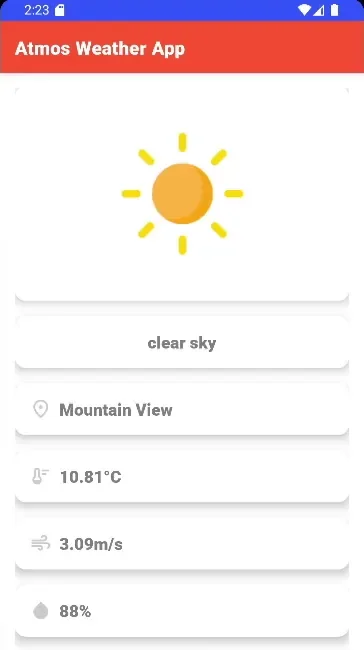
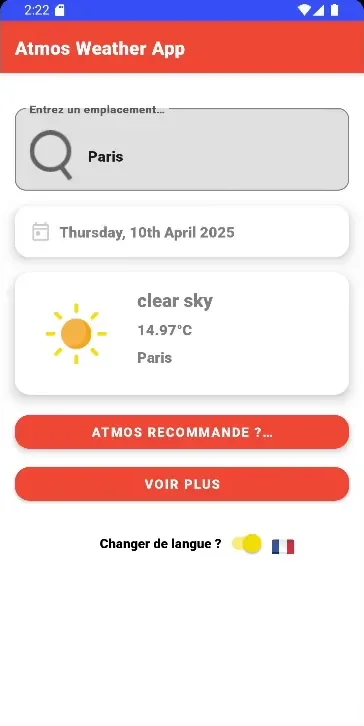
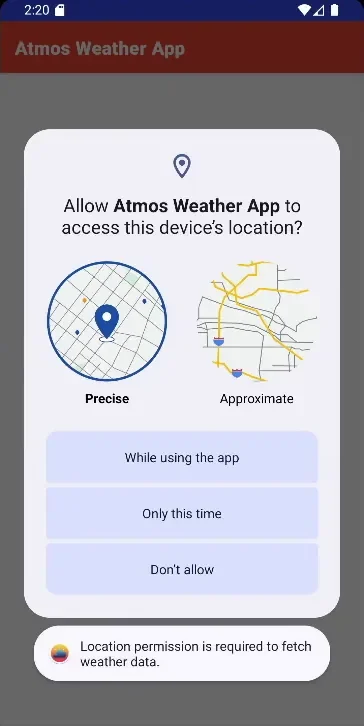
6 screenshots: use the arrows or scroll sideways.
How it works
After a welcome screen, the app reads the device's last known location and calls OpenWeatherMap's current-weather endpoint through a Retrofit interface, with Gson mapping the JSON into Kotlin data classes. From the main screen you can search for another city, open a full-details view or ask for a recommendation, with a short Lottie loading animation between screens. No network, a failed API response or an unavailable location are caught and shown as a short message instead of crashing the app.
I used ConstraintLayout for flat, responsive layouts, View Binding instead of
findViewById, and SharedPreferences for the small amount of data the app keeps.
My role
This was a solo project. Alongside the app I wrote the project overview, its functional and non-functional requirements, a justification of the Android APIs I chose and a retrospective, revising the early drafts after feedback from the module staff. I built it feature by feature over about seven weeks, from February to April 2025, in the module's GitLab repository.
Key features
- Weather for where you are: current conditions, temperature and place name for the device's location.
- City search: type any city to load its weather, with the icon changed to match the conditions.
- Activity suggestions: “Atmos Recommends” turns clear, cloudy, drizzly, rainy, snowy or windy weather into an idea for the day, with a matching animation.
- Forecast rating: a five-star bar for how accurate the prediction was, saved with a timestamp and cleared after 24 hours so you can rate the next day's weather.
- Full weather view: date, time, location, temperature, wind speed and humidity on one screen.
- French translation of the interface, switched in the app with a toggle.
Privacy & permissions
- Location only while the app is in use: requested at runtime, with no background-location permission. If it's refused, the app explains why it needs it instead of failing silently.
- No continuous tracking: each weather screen reads the fused location provider's last known position once, which also saves battery.
- Coordinates aren't stored: they're sent only to OpenWeatherMap, over HTTPS, and never saved on the device.
- Minimal local data: just the language choice and the forecast rating, in app-private SharedPreferences.
Testing
I wrote 15 instrumented tests with AndroidX Test and JUnit across the three main screens. They check that each screen launches and shows the date and time, that the language switch saves its choice, that the right recommendation appears for a given, missing or unrecognised weather type, and that ratings save and load correctly.
What I'd improve next
- Add the multi-day forecast. It was in my requirements, but I didn't get to it.
- Match recommendations on OpenWeatherMap's numeric condition codes rather than words in the description. At the moment anything unrecognised, such as fog or haze, gets the clear-day suggestion. I'd also pass the weather data between screens rather than the text of a label.
- Move the API and location code into a shared repository and ViewModel. Both weather screens duplicate it now, and View More always shows your own location even after you've searched for a city.
- Re-apply the saved language when the app starts, and move the remaining hard-coded messages into string resources so they're translated too.